
How to Install QuickBooks on USB Drive
Installing QuickBooks on a USB drive is a smart workaround to install the QuickBooks accounting program. This article will give you all the details on how to install QuickBooks on a USB drive. So let us get started!
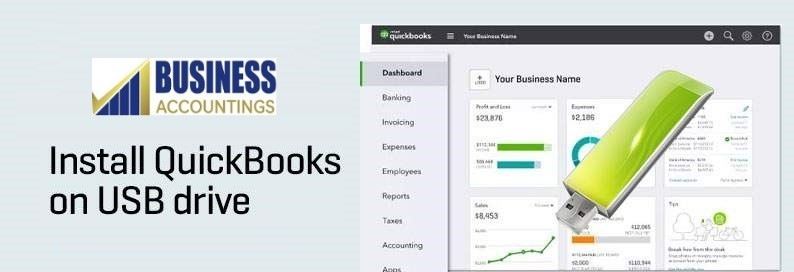
Why install the QuickBooks on a USB drive?
Well, it is important to know the reason as to why one would need to install the QuickBooks on a USB drive:
- If you don’t have access to CD Drive USB drive can come in handy for QuickBooks installation.
How to install the QuickBooks accounting program on a USB drive:
This section will provide you a detailed set of step-by-step instructions on installing QuickBooks on a USB drive. Please make sure that you follow the steps carefully and in the right order:
Prerequisite:
- A computer with a CD drive.
- A USB drive.
- Two or more than two computers that are connected over a common network
Steps to follow:
- Run the QuickBooks installation CD on a PC with CD Drive.
Please Note: If the QuickBooks installation wizard starts, then please close it, as it may start to run automatically by default.
- Right-click on ‘Start.’
- From the drop-down list choose the ‘Open Windows Explorer’ option.
- Now go to CD drive and right-click on it and select ‘Open’ or ‘Explore’ from the drop-down list.
- The contents of the QuickBooks installation CD will appear in front of you.
- Select the ‘QuickBooks’ folder and ‘Third-party’ folder by holding the ‘Ctrl’ key and by selecting these folders.
- Copy the two ‘QuickBooks’ folder and ‘Third-party’ folder.
- Now create a new folder.
- Paste the two ‘QuickBooks’ folder and ‘Third-party’ folder into the new folder.
- Copy this new folder and keep it on the Windows clipboard for a while.
- Now insert the USB drive into your computer.
- Open the USB drive folder by accessing it through ‘My Computers.’
- Paste the two ‘QuickBooks’ folder and ‘Third-party’ folder into it.
- Carefully remove the USB drive from the computer.
You can treat this USB drive as an installation wizard for installing QuickBooks on any computer of your choice.
How to use a USB drive to install QuickBooks on a computer:
Once you have copied the ‘QuickBooks’ folder and ‘Third-party’ folder on a USB drive you can use it to install the QuickBooks on any PC of your choice. You can do so in the following ways:
- Insert the USB drive in the desired computer.
- Open the QuickBooks folder which is within the USB drive.
- Once opened it will start as an installation wizard on its own by default.
Scope of Service:
We hope you got a fair idea of how to back up the QuickBooks on a USB drive. We understand that you may still have some doubts or would need further assistance. Don’t shy away from contacting our team of experts.
- For any issues, call QuickBooks contact Toll-free number.
Related News:
Source: 99accounting