
How to create Bank Rules in QuickBooks Online
The rules of QuickBooks allow you to customize the banking transactions that QuickBooks Online has in common. By setting up the automated categorization of daily recurring transactions, QuickBooks bank rules save you valuable time. Once you already know the process of developing rules for QuickBooks, you can start automatically acting on bookkeeping obligations. You may come to understand the framework for developing QuickBooks policies in this blog.
In addition, knowing how to create bank rules in QuickBooks Online is essential, as well as time-saving specifically for businesses. Let’s get acquainted with the method of making instructions in QuickBooks online.
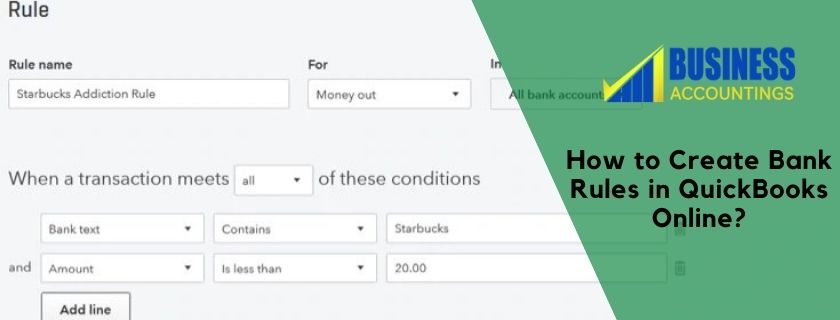
Steps to Create Bank Rules in QuickBooks Online
Perform the below instructions to create bank rules in QuickBooks Online:
- The very first, go to the Banking menu that you find on the left menu side
- Next, choose a new rule in order to open the rule window
- Now, add a new name within the rule name field
- Using the drop-down menu, select money out or money in
- Choose the bank account or credit card option
- After that, set the conditions of the rule
- If you want transactions to be edited when they meet either of the requirements outlined, build rules with or with an alternative
- In the conditions field, you have to specify whether the rule applies to the bank text, amount, or description. Then, after defining the material found in the transactions, it does not include or is only relevant to the law
- Choose the rule settings and specify the type of transaction, the payee, and the category to be applied
- To remove a condition, pick the trash bin icon
- Finally, click Save.
Add to My Books Option Automatically
- Targeted rules are created automatically and specific transactions are automatically accepted from the banking page into the books.
- If you want to enable this option, select the “Add to my books automatically” option from the Rules window, and then click the save option.
- Now, after the Auto-add rule has been established, all of your transactions on the “For Review” tab will be automatically added.
You will run auto-add rules when you need the following tasks to be performed:
- Log in
- Modify or create a new auto-add rule
- Upload file
Recognized Transactions
The recognized tab of the bank and credit card screen will show an indicator for the transactions that are recognized by the system after setting up a bank rule.
You can add transactions directly from the recognized tab, if required, or select the transaction to be edited before adding it.
Steps to Import Bank Rules in QuickBooks Online
You can save time by exporting these rules and then importing them into the current company file if you have set up banking rules on another QuickBooks Online company file.
Perform the below instructions to import the bank rules:
- Initially, sign in to your company file which you wish to export the bank rules from
- Next, move to the banking and then rules from the left menu option
- Using the drop-down menu, select the new rule then export rules
- Now, save the export file in your excel
- Switch to the company that you want to import the bank rules to
- From the left menu, select the banking then rules option
- You need to choose the drop-down of the new rule and then pick import rules
- Choose to search and navigate, and then upload the excel file that you exported
- Finally, select the rules and descriptions to be imported and follow the prompts to complete the import.
In conclusion
Overall, you can observe that bank rules save lots of time in categorizing the everyday routine transactions. Moreover, this blog clarifies and explains what the QuickBooks bank rules guidelines are and how to create bank rules in QuickBooks Online. The rules of QuickBooks properly categorize transactions and effectively control your banks. It’s very easy to use the online banking feeds feature. Naturally, it recalls the changes you have made for a definite customer or supplier.
Related News:
QuickBooks online Bank Feed Not Working
Setting up Accounts for online Banking